01
Enter a current balance.
Start with one account, your next payday and the bills you know about. Add other accounts when you need them.
 NodeWorth
Manual cash-flow planning
Start with your current balances, add upcoming bills and income, and check what’s left for everyday spending.
 For everyday spending decisions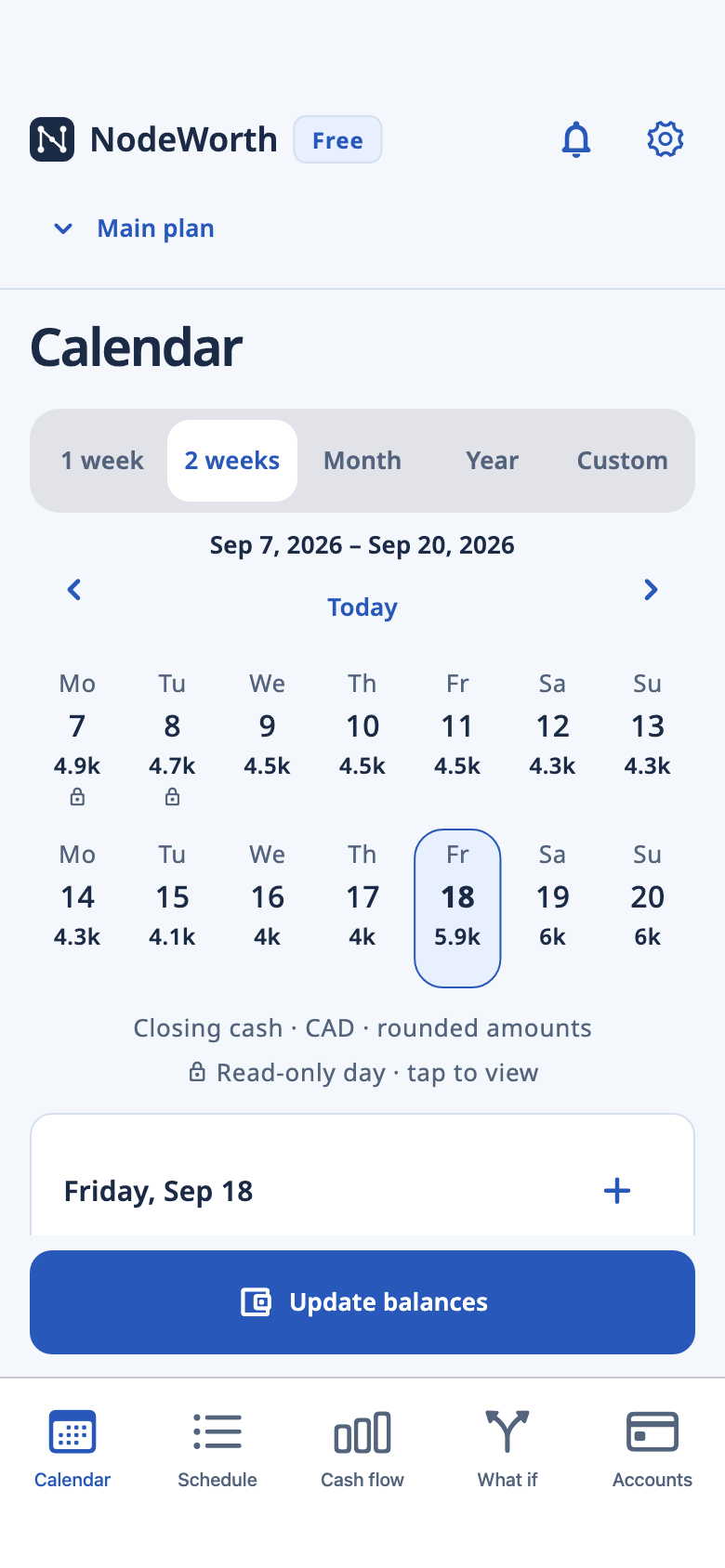
How it works
01
Start with one account, your next payday and the bills you know about. Add other accounts when you need them.
02
A weekly grocery estimate can be enough. Keep individual bills on their due dates, and add categories or notes when they help.
03
After unrecorded spending, enter your current balance to update the forecast from today. Earlier saved days stay unchanged.
In the app
See daily estimates from your balances and planned activity. Review upcoming payments and the changes you’ve saved.
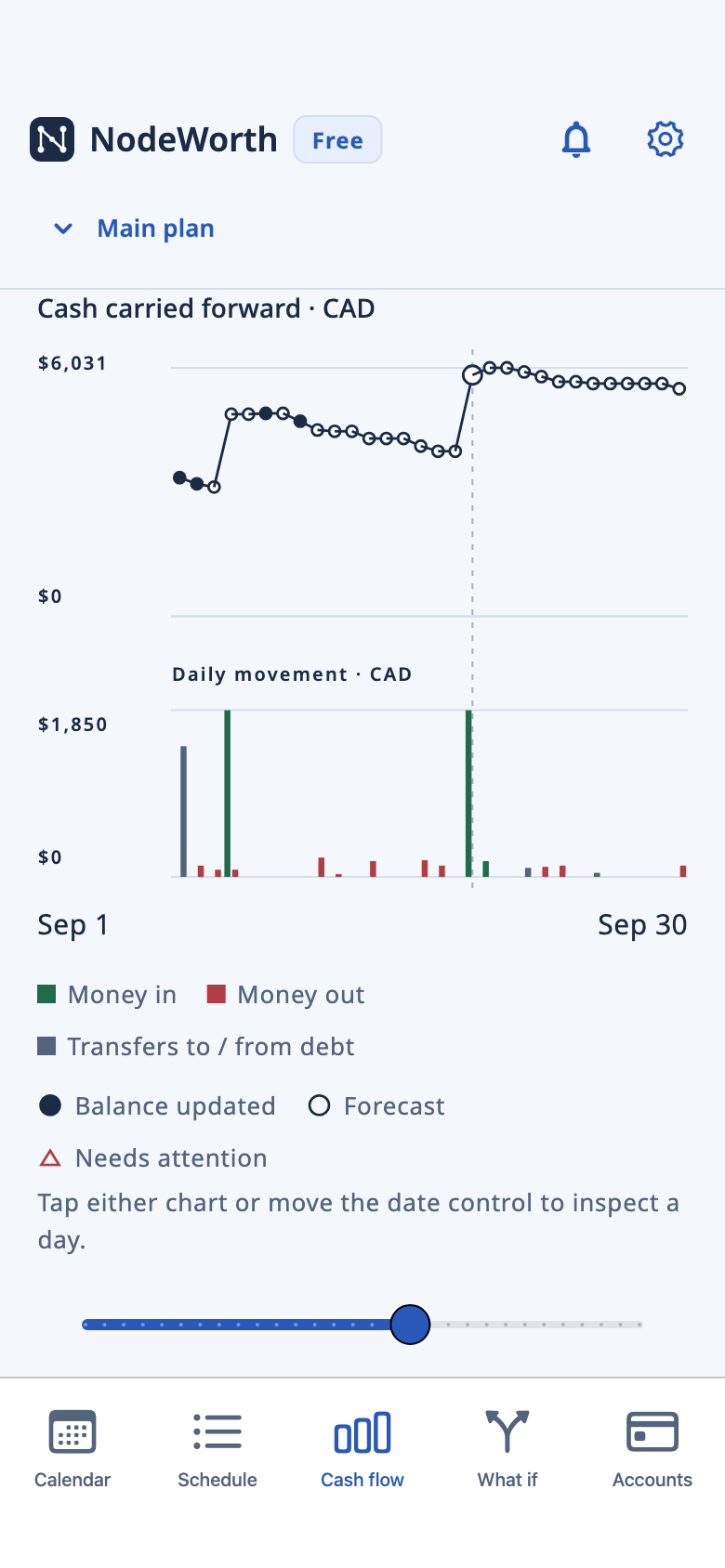
Cash flow
See income, spending and closing cash on each day, including days with no payments. Review warnings when a paying account may be short.
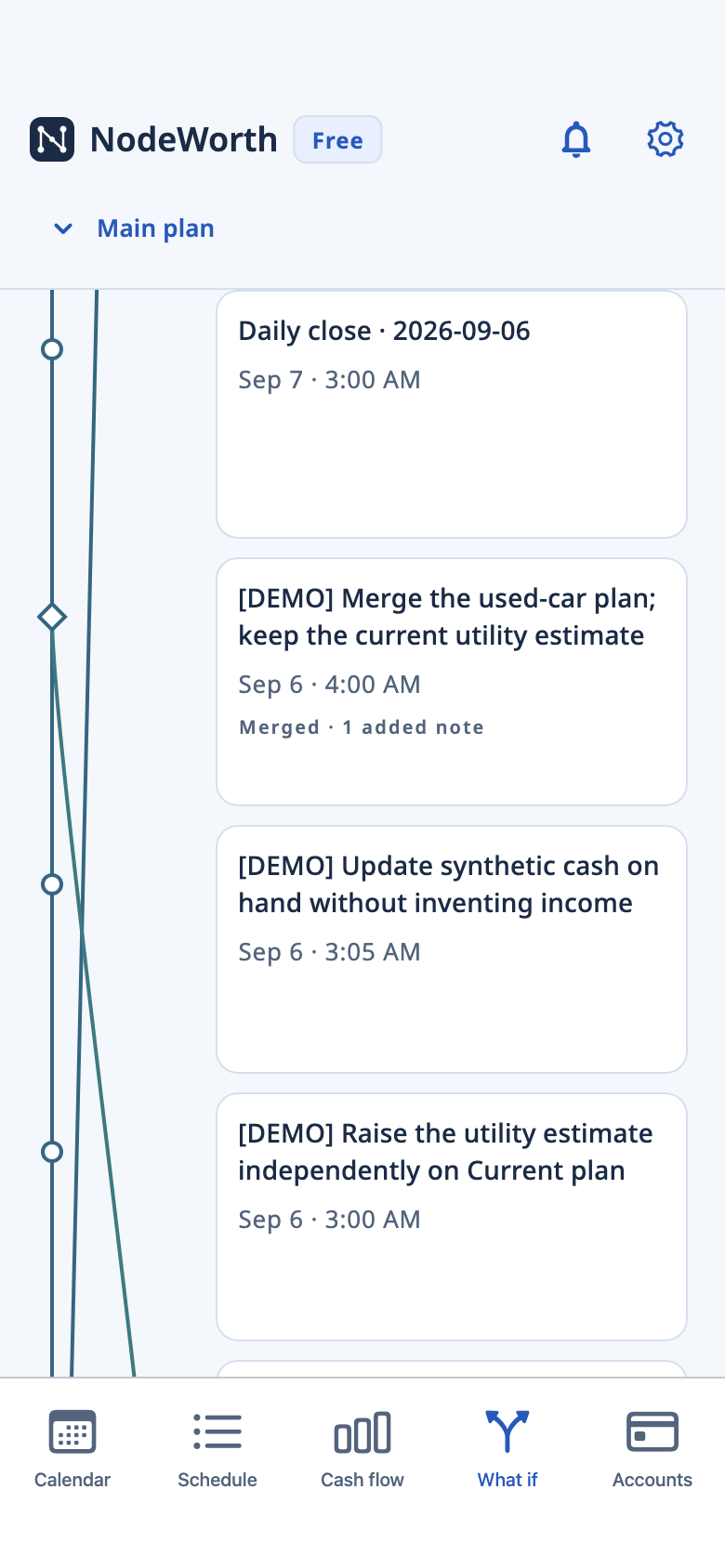
Plan history
Completed changes save automatically. Compare saved versions or try an earlier plan again as a new branch starting today.
Screenshots use fictional data. Forecasts are estimates based on what you enter.
What if plans
Try an extra bill, a night out or a change in pay in a separate plan. Check the effect on upcoming cash before choosing whether to merge it into Main.
Alternatives stay separate until you choose to merge.
Export complete JSON backups regularly and finish saving them somewhere safe. We don’t hold a recovery copy. Files you export or share, and backups managed by your device, are separate copies.
Free includes AdMob banners; Apple handles Pro subscriptions. Your financial records are not supplied for ad targeting. These services may process device, advertising or purchase information for their functions.
This site provides app information, support and policies. Firebase Hosting delivers its pages and Termly manages website consent. They may process request details and consent choices; the site cannot access your financial plan.
No. Forecasts are calculated from the balances, dates and amounts you enter. NodeWorth does not fetch bank transactions, scan receipts or move money.
No. Use estimates for regular spending and enter individual payments where the date matters. After unrecorded spending, update your balance. Select today’s payments already included in it so they are not counted twice.
Your plan, forecasts and history work offline. Ads, Google privacy checks, subscriptions and restores, app updates and online policies may use the internet. Financial records are not sent to us or advertisers.
An alternative stays separate from Main until you choose to merge it. Compare the changes first. You can also try an earlier plan again in a new branch starting today, preserving current recorded balances and closed days.
Pro removes ads and adds CSV forecast reports for spreadsheets. Planning, history, JSON backup/import, themes and app lock stay free. The app shows Apple’s price and billing period before you subscribe.
Only if you record it. Scheduling a bill or updating a balance does not mark that bill as paid.
Get started
Manual planning for iPhone and iPad.